RAG — document intelligence
AKKO's retrieval service. Clients upload documents into collections; the service extracts the text, chunks it, computes 768-dim embeddings via the sovereign AI gateway, and stores everything in a vector store inside the platform Storage layer. Downstream callers (ADEN, cockpit, an agent, a notebook) then issue semantic queries against a collection and receive ranked chunks with full provenance.
Phase 0 — tier-1 backend only
This service is scoped to grow in three phases, all behind the same API contract. Phase 0 (shipped) uses an embedded vector store for collections of up to ~1 k documents. Phases 2-3 swap in hybrid search and a big-data backend without breaking any caller. Full plan : rag-document-intelligence.
Architecture
flowchart LR
    subgraph Clients
        CK[Cockpit /#rag]
        ADEN[ADEN]
        NB[Notebook]
        AG[Agent]
    end
    subgraph RAG["akko-rag (FastAPI)"]
        API[/collections<br/>/documents<br/>/query/]
        EX[Extractor<br/>pypdf / txt / md]
        CHK[Chunker<br/>word-window]
        EMB[Embedder<br/>3× retry]
    end
    subgraph Backends
        PG[(akko-postgresql-data<br/>akko_rag schema<br/>pgvector HNSW + GIN)]
        LL[akko-litellm<br/>embed + chat]
    end
    Clients --> API
    API --> EX --> CHK --> EMB --> LL
    EMB --> PG
    API <--> PG
Supported formats
The ingestion pipeline extracts text with pypdf for PDFs and a UTF-8
reader for text-based formats. Formats are validated against the real
extractor (docker/akko-rag/app/extractor.py), not marketing claims:
| Format | Extension / MIME | Status | Notes |
|---|---|---|---|
.pdf / application/pdf |
✅ supported | text layer via pypdf (no OCR yet) |
|
| Markdown | .md, .markdown |
✅ supported | |
| Plain text | .txt, .log, .csv |
✅ supported | UTF-8 |
| DOCX | .docx |
✅ supported | paragraphs + tables via python-docx |
| PPTX | .pptx |
✅ supported | text + tables per slide via python-pptx |
| XLSX | .xlsx |
✅ supported | cell values per sheet via openpyxl |
| HTML | .html, .htm |
✅ supported | tags stripped, scripts/styles dropped (stdlib parser) |
| Other text | any text/* |
✅ best-effort | UTF-8 |
| Scanned PDF | .pdf (no text layer) |
✅ supported | on-demand OCR fallback via tesseract (digital PDFs never pay it) |
| Images | .png, .jpg, .tiff |
✅ supported | OCR via tesseract (fra+eng); gated by AKKO_RAG_OCR_ENABLED |
| Unknown binary | .doc, .ppt, .xls, .zip |
❌ rejected | returns 400 instead of indexing mojibake |
| Audio / voice | .wav, .mp3 |
❌ not supported | no transcription in akko-rag; a scanned-document / voice tier is a future item |
Voice is not ingestible today
akko-rag has no audio transcription path. A voice note must be
transcribed to text first (e.g. by a separate tool) before it can be
uploaded. This is documented honestly rather than implied.
Step-by-step (from the cockpit UI)
Sample files live in docs/docs/assets/rag-samples/ — a PDF, a Markdown
policy note and a free-text meeting minute, all fictional and non-sensitive.
Use them to reproduce this walkthrough.
-
Open the RAG page. Sign in with SSO and open the cockpit, then go to AI & Agents → RAG (or the
#ragroute). You land on RAG · document intelligence.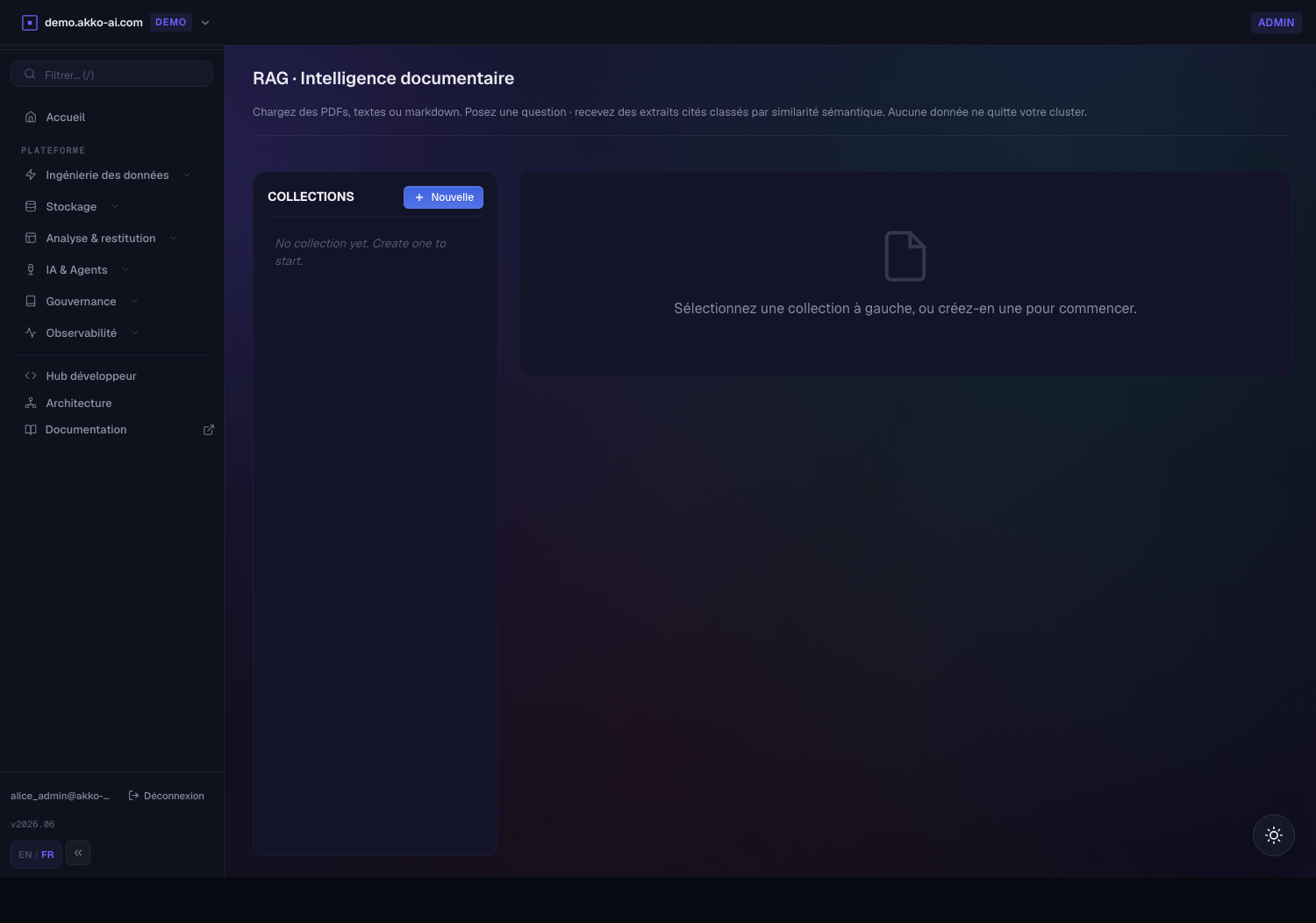
-
Create a collection. Click + New, give it a name (the slug is derived automatically), an optional description, and the roles allowed to read it. Leave roles empty for an open collection, or restrict it — e.g.
akko-admin— to enforce access control.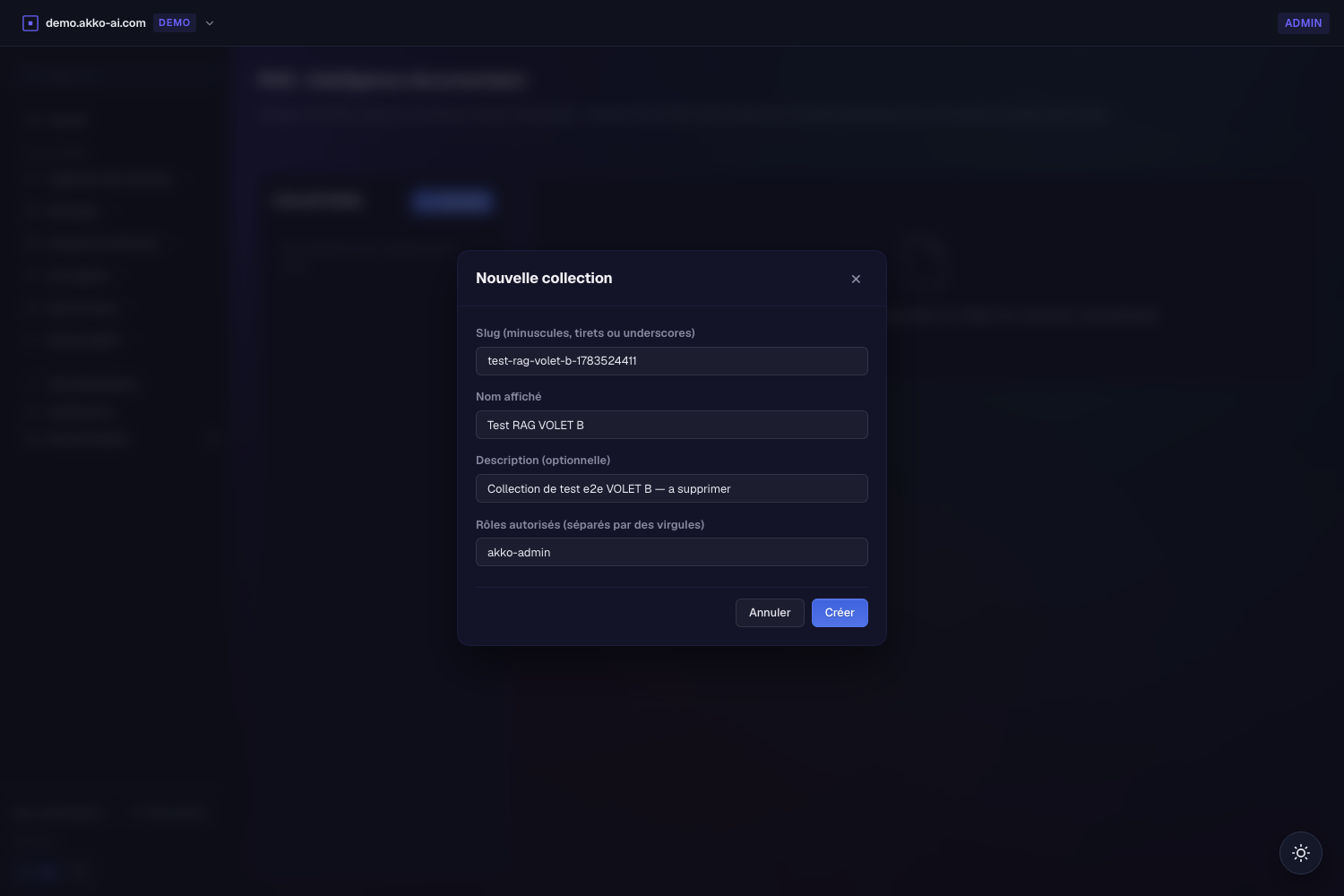
-
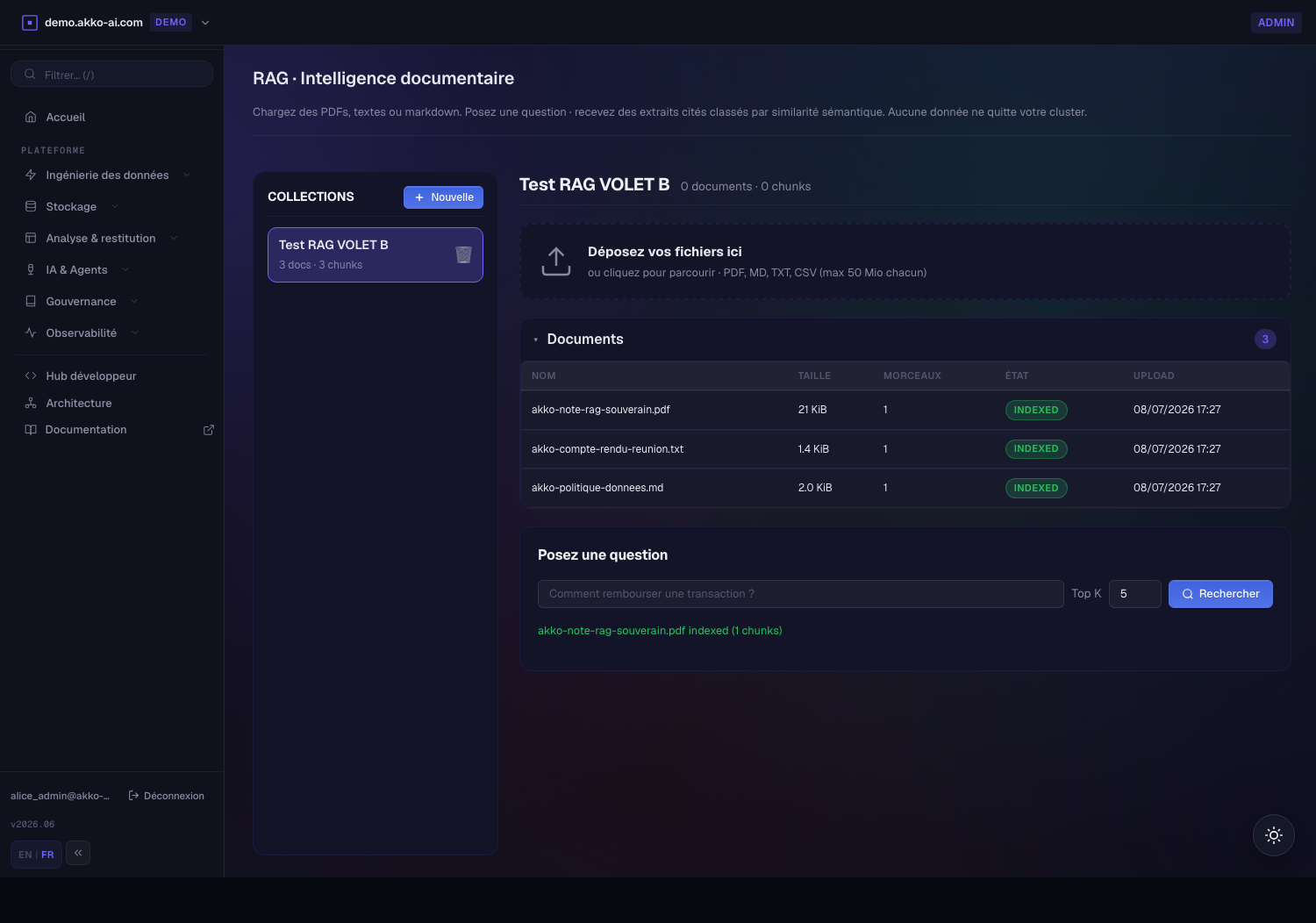
Upload documents. Drop files onto the dropzone or click to browse (PDF, MD, TXT, CSV — up to 50 MiB each). Each file is extracted, chunked, embedded (768-dim) and stored. The document row flips to INDEXED with its chunk count.
-
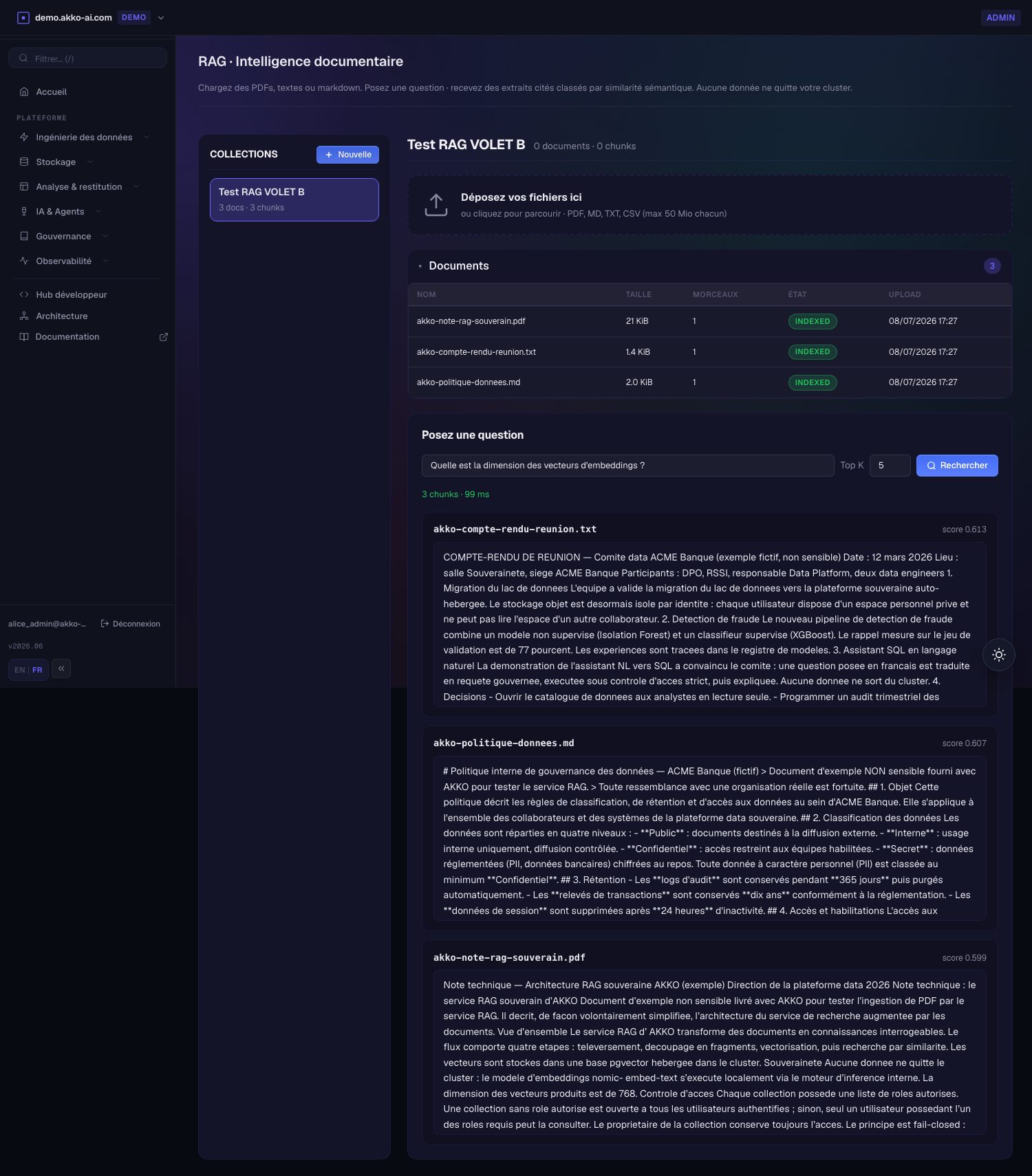
Ask a question. Type a natural-language question and press Search. The service embeds the question, runs a cosine-similarity search and returns the top-k chunks — each with its source filename, page/section and a similarity score. This is the citation: you can trace every answer back to the exact document and passage.
-
Manage access. A user whose platform role is not in the collection's
allowed_rolescannot see it, cannot list it and is refused (403) on a direct query — verified live witheve_vieweragainst anakko-admin-only collection. The gate is fail-closed.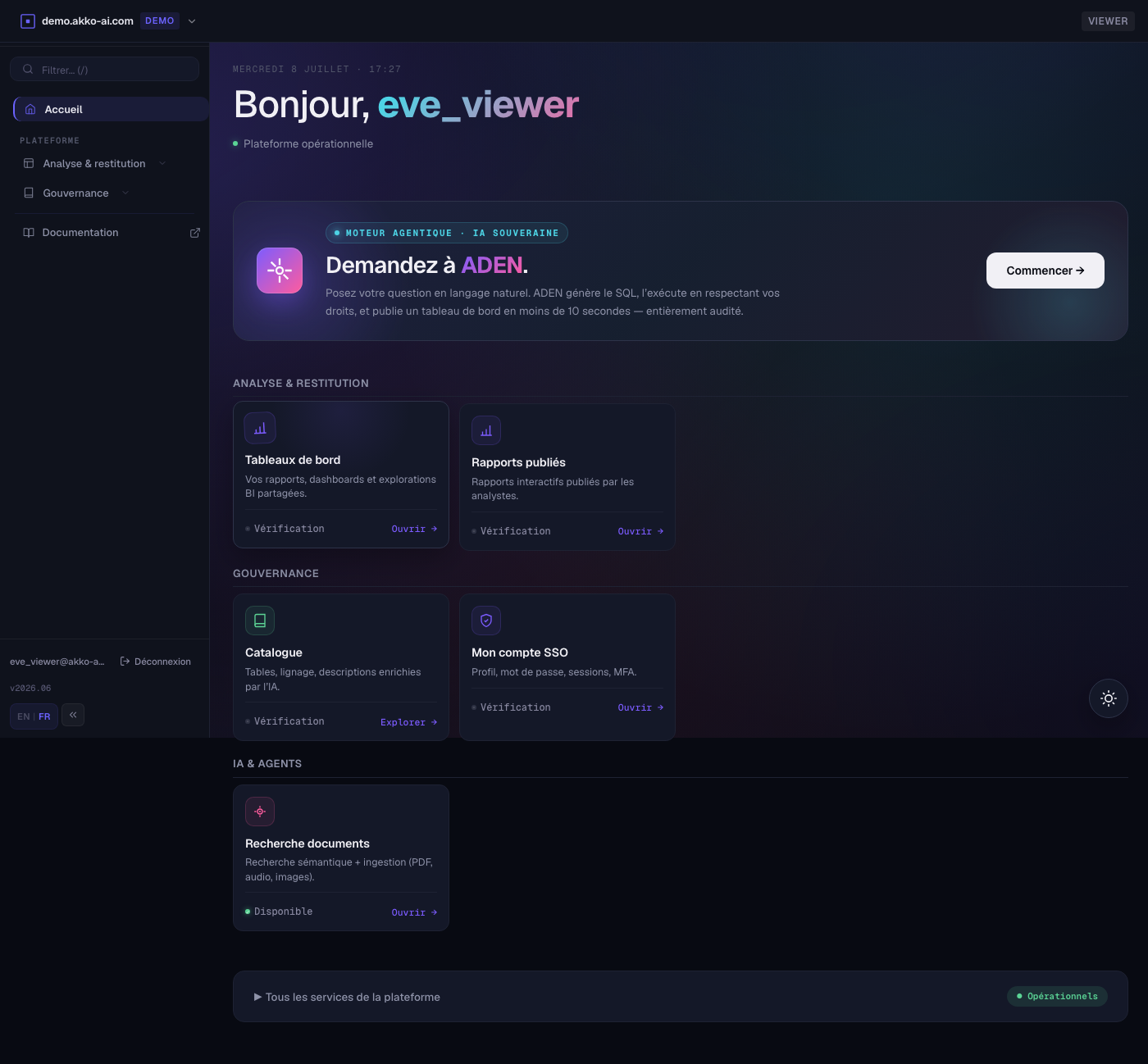
-
Delete the collection when done — the cascade removes its documents and chunks. (In the walkthrough above the whole cycle is created and torn down without touching any demo collection.)
API (Phase 0)
| Method | Path | Purpose |
|---|---|---|
| GET | /health |
liveness |
| GET | /ready |
DB reachability |
| GET | /metrics |
Metrics layer (Prometheus) counters + histogram |
| POST | /collections |
create logical grouping with allowed_roles |
| GET | /collections |
list with document + chunk counts |
| POST | /collections/{slug}/documents |
upload → extract → chunk → embed → store |
| GET | /collections/{slug}/documents |
list documents |
| POST | /collections/{slug}/query |
top-k retrieval by cosine similarity |
| GET | /audit/queries?limit=N |
recent retrievals (audit trail) |
Identity: trust the upstream ingress header X-Trino-User (fallback
X-User-Id), same convention as ADEN and the Trino AI plugin. Phase 1
replaces this with Identity (Keycloak) JWT verification.
Example
# 1. create a collection
curl -s -X POST https://rag.akko-ai.com/collections \
     -H "X-Trino-User: alice" -H "Content-Type: application/json" \
     -d '{"slug":"kb","name":"Knowledge base",
          "allowed_roles":["akko-admin","akko-engineer"]}'

# 2. upload a PDF
curl -s -X POST https://rag.akko-ai.com/collections/kb/documents \
     -H "X-Trino-User: alice" \
     -F "file=@/path/to/policy.pdf"

# 3. query
curl -s -X POST https://rag.akko-ai.com/collections/kb/query \
     -H "X-Trino-User: alice" -H "Content-Type: application/json" \
     -d '{"question":"how do I refund a charge?","top_k":5}'
Response:
{
  "question": "how do I refund a charge?",
  "collection": "kb",
  "chunks": [
    {
      "chunk_id": "…",
      "document_id": "…",
      "filename": "policy.pdf",
      "page": 4,
      "text": "Refunds are issued within 14 days …",
      "score": 0.87
    }
  ],
  "latency_ms": 38
}
Configuration
Every setting resolves from either AKKO_<NAME> or the bare <NAME>
env, so values-dev, values-netcup and local docker runs share the same
defaults. Full list:
| Env var | Default | Purpose |
|---|---|---|
AKKO_PG_HOST |
akko-postgresql-data |
PostgreSQL host |
AKKO_PG_PORT |
5432 |
|
AKKO_PG_DATABASE |
akko |
|
AKKO_PG_USER |
akko |
|
AKKO_PG_PASSWORD |
(Secret) | from akko-postgresql-data Secret |
AKKO_EMBED_URL |
http://akko-akko-litellm:4000 |
AI gateway (LiteLLM) OpenAI-compat |
AKKO_EMBED_MODEL |
akko-embed |
AI gateway routing alias |
AKKO_EMBED_DIM |
768 |
matches nomic-embed-text |
AKKO_CHAT_URL |
http://akko-akko-litellm:4000 |
Phase 1 answer generation |
AKKO_CHAT_MODEL |
akko-chat |
Phase 1 |
AKKO_CHUNK_SIZE_TOKENS |
400 |
word window |
AKKO_CHUNK_OVERLAP_TOKENS |
60 |
overlap in words |
AKKO_MAX_UPLOAD_BYTES |
52428800 |
50 MiB hard cap |
AKKO_DEFAULT_TOP_K |
5 |
default retrieval size |
AKKO_MAX_TOP_K |
50 |
hard ceiling |
Enabling the service
Disabled by default in the umbrella chart. Flip it on:
The schema is provisioned by postgres/init/11-akko-rag.sql at first
boot of akko-postgresql-data. On an already-initialised cluster,
re-apply the file manually against akko-postgresql-data:
kubectl -n akko exec deploy/akko-akko-postgresql-data -- \
    psql -U akko -d akko -f /docker-entrypoint-initdb.d/11-akko-rag.sql
Phases ahead
| Phase | Delivers | Backend |
|---|---|---|
| 0 (shipped) | Ingest + chunk + embed + pgvector top-k | pgvector HNSW |
| 1 | Chat answer with citations, JWT auth, cockpit UI, Policy engine (OPA) filtering | pgvector |
| 2 | Hybrid BM25 + dense search, Orchestration engine (Airflow) watchfolder, HPA, ServiceMonitor | OpenSearch knn |
| 3 | Compute engine (Spark) embed UDF, Iceberg VECTOR column, Query engine (Trino) hybrid SQL | Compute engine + Iceberg |
See also
- Architecture / Unified data + AI
- AI / Trino AI Functions —
akko_ai_searchcovers in-catalog retrieval;akko-ragcovers document-centric retrieval with citations and audit - Services / AI Service — sibling service for text/multimodal generation