01 — Quick Start (Live Demo, No Install)
Time : 2 min · Persona : any (alice recommended) · Path : A
The fastest way to see AKKO running is the public sandbox. No download, no kubectl, no laptop heat. Just a browser and 2 minutes.
Pre-requisites
- A modern browser (Chrome / Edge / Safari / Firefox).
- That's it.
Step 1 — Open the sandbox
Visit https://demo.akko-ai.com.
You will be redirected to the identity provider sign-in screen.
Expected result : a login form titled "Sign in to AKKO".

Step 2 — Sign in as alice
| Field | Value |
|---|---|
| Username | alice |
| Password | alice123 |
Click Sign in.
Expected result : you land on the cockpit Home page. A purple akko-admin badge appears in the header.
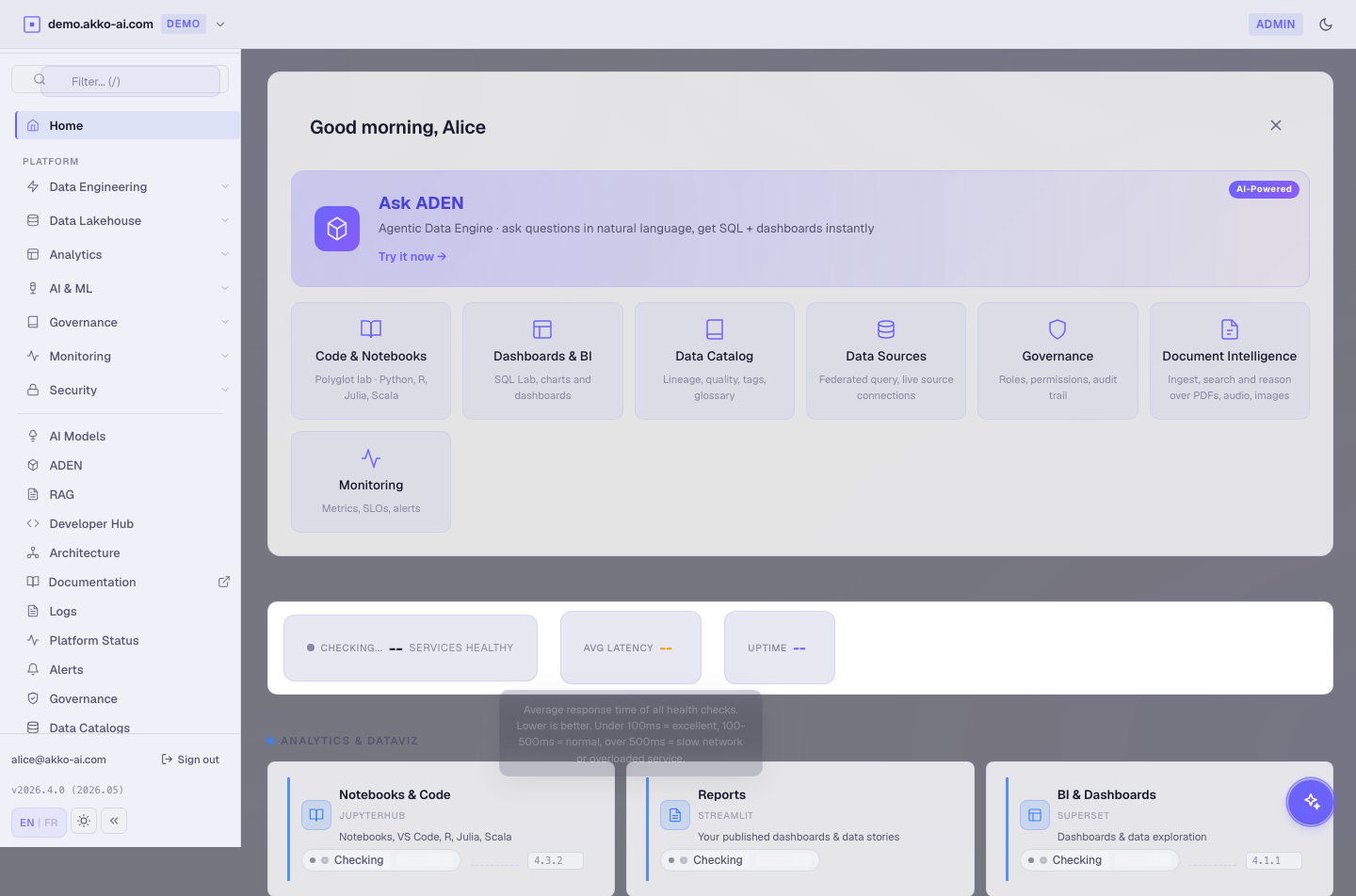
Why alice? She is the platform administrator persona. She can see every page, every catalog and every governance surface — the right choice for a first tour.
Step 3 — Tour the 9 cockpit pages
The cockpit is the single entry point for every layer. Open the sidebar (left side) and skim each page :
| Page | What you see |
|---|---|
| Home | KPI tiles, live health of every layer, recent activity. |
| ADEN | Natural-language → SQL → result + dashboard suggestion. |
| NORA | Steward review queue for AI-suggested catalog enrichments. |
| Catalogs | Connected data sources with health and schema preview. |
| Governance | Platform Access (roles) and Data Access (scopes) tabs. |
| AI Models | Available LLMs, gateway routes, RBAC matrix. |
| Architecture | Live topology of the 10 layers with vendor details (admin only). |
| Logs | Centralised application + audit logs with filters. |
| Alerts | Live alert rules, firing, silenced, resolved. |
Expected result : every page loads without an error banner. Some pages may show "empty state" placeholders for sections you have not used yet — that's normal.
Layer-first naming. Page titles speak about capabilities (Compute, Catalog, Observability), not vendor names. Vendor details are shown only on the Architecture page for admins who want to know what powers what.
Step 4 — Run your first query via ADEN
- Click ADEN in the sidebar.
-
In the Topic input, type :
-
Click Generate.
Expected result : within a few seconds you see :
- The SQL the engine generated.
- A trust bar (semantic-layer match, scope chip, model used).
- A result table with 10 rows.
- A "Suggested dashboard" button.
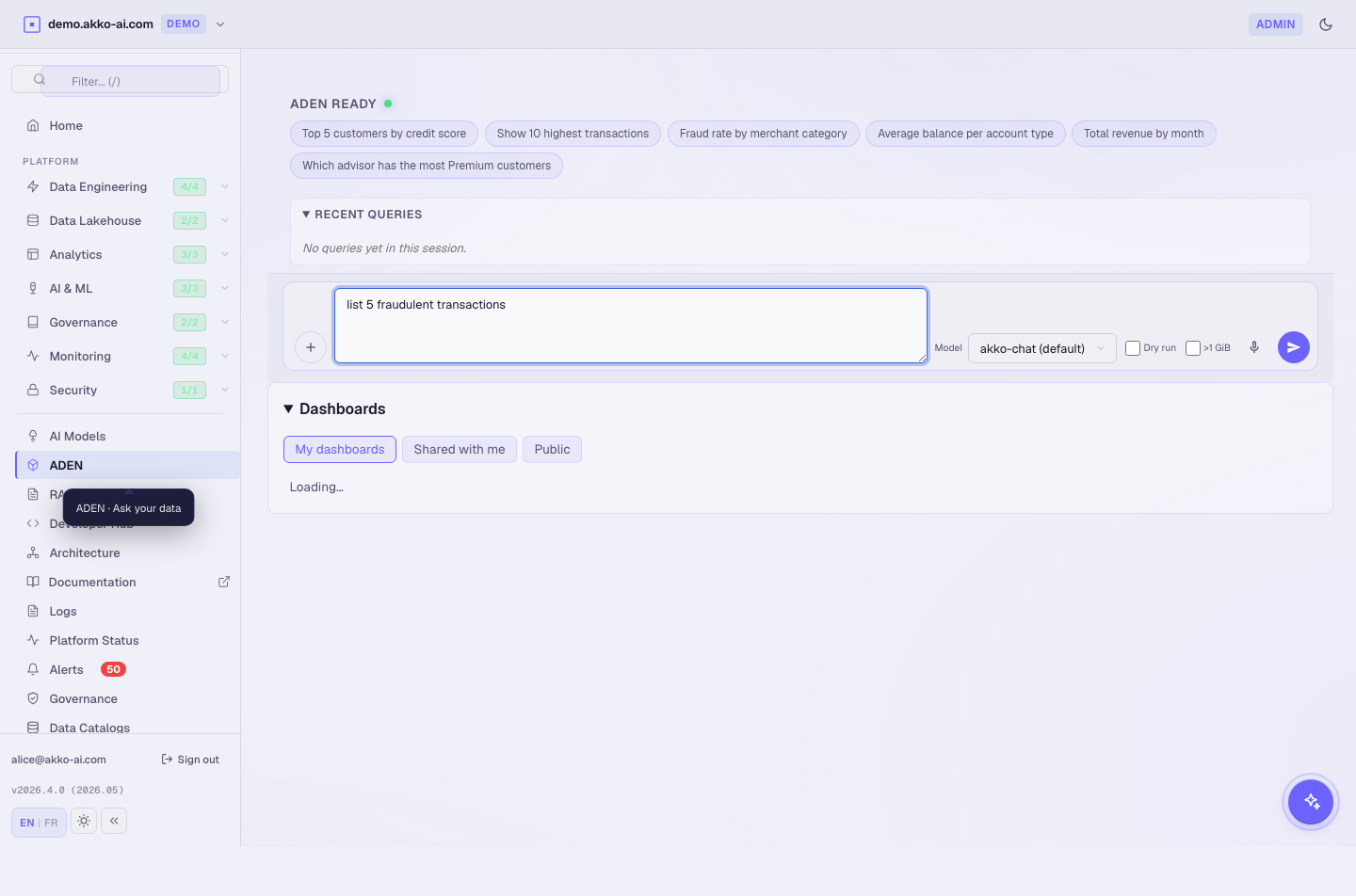
If the table is empty, the live demo catalog may have just been reseeded — wait 30 seconds and click Generate again. See Troubleshooting.
Step 5 — Log out
Open the user menu (top right) and click Sign out.
Expected result : you are redirected to the login screen. Your session cookie is dropped on this device.
Why log out? Sessions are shared on the public sandbox. Logging out ensures the next visitor gets a clean state.
Troubleshooting
| Symptom | Likely cause | Fix |
|---|---|---|
| "Sign in" loops back to login | Browser blocked third-party cookies | Enable cookies for *.akko-ai.com and retry. |
403 Forbidden after login |
Persona is missing the realm role | Try with alice (admin). Other personas see fewer pages by design. |
| ADEN result is empty | Demo catalog just reseeded | Wait 30 sec then click Generate again. |
| Page blank with spinner | Identity provider slow start (cold cluster) | Wait 15 sec then refresh. |
| Safari : "credentials lost" between pages | ITP cookie partitioning | See the Safari ITP note. |
What you just learned
- AKKO ships ten layers behind one cockpit and one SSO.
- You can ask a question in plain English and get SQL + result + dashboard suggestion in seconds.
- The sandbox costs you zero install time.
Next : 02 — Install on your laptop (local k3d) · or skip to 03 — Personas tour.